clientHeight、offsetHeight、scrollHeight 有什么区别?可视行数计算实战
做富文本编辑器、虚拟列表、滚动加载时,绕不开 clientHeight、offsetHeight、scrollHeight 这三个高度。它们看起来都是“高度”,实际量的是盒子模型里三个不同区域。混用的结果就是“滚动判断永远差 1 像素”“可视区计算不准”这类诡异 bug。
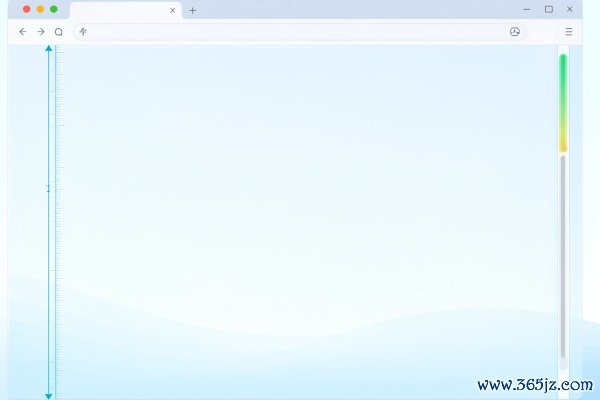
一、三个属性分别量到哪
CSS 盒模型从内到外是:内容 → padding → border → margin。三个属性的取值范围各不相同:
- clientHeight = 内容高度 + 上下 padding,不含 border、margin,也不含横向滚动条占据的那一条。它是“用户真正能看见内容的区域”。
- offsetHeight = 内容 + padding + border + 横向滚动条高度,不含 margin。它是“这个元素在布局里实际占了多少垂直空间”。
- scrollHeight = 内容实际需要的高度,包含溢出到可视区之外的部分和 padding,不含 border。当
scrollHeight > clientHeight就说明存在纵向溢出。
两个容易被忽略的性质:它们都是只读属性(赋值无效,要改高度请用 style.height 或 CSS 变量);返回的是四舍五入后的无单位整数,需要小数精度时必须改用 getBoundingClientRect()。
另外 offsetTop 是相对最近的已定位祖先(position 不为 static)的偏移,而不是相对页面。要拿页面绝对位置应该写 el.getBoundingClientRect().top + window.scrollY。
二、视口高度该用哪个
元素自身用 clientHeight;整个视口用兼容写法:
const vh = window.innerHeight
       || document.documentElement.clientHeight
       || document.body.clientHeight;
这么写的历史原因是老 IE 只认 document.documentElement.clientHeight。现代浏览器里 window.innerHeight 会包含横向滚动条占据的高度,两者在极少数场景会差 15~17px。移动端还要注意 innerHeight 会随地址栏显隐变化,需要稳定值时用 VisualViewport API(参考 MDN VisualViewport 词条):
三、实战:算编辑器可视区域内能显示几行
这是 clientHeight 最典型的用途。前提:行高固定且可测量。
const box = document.querySelector('.editor-body');   // overflow:auto 的容器
const lineH = (() => {
  const probe = document.createElement('div');
  probe.className = 'editor-line';
  probe.textContent = 'M';
  probe.style.position = 'absolute';
  probe.style.visibility = 'hidden';
  box.appendChild(probe);
  const h = probe.getBoundingClientRect().height;
  box.removeChild(probe);
  return h;
})();

const visibleLines = Math.floor(box.clientHeight / lineH);
const firstLine = Math.floor(box.scrollTop / lineH) + 1;
const lastLine  = firstLine + visibleLines - 1;
要点逐条说明:
- 必须用
clientHeight而不是offsetHeight:容器有 1px 边框时offsetHeight会把边框算进去,多出的高度会让末行“露出一半”。 - 用
Math.floor而不是round:只保留完全可见的行,否则虚拟滚动会出现重复渲染。 - 行高要实测而不是取 CSS 值:字体 fallback、
line-height:normal、缩放都会让声明值与真实值不同。 - 若容器有
padding-top,clientHeight已含 padding,但scrollTop的原点也随 padding 变化,滚动偏移要减去paddingTop。
四、其它高频用法
1. 判断是否滚到底(无限滚动):
const atBottom = box.scrollTop + box.clientHeight >= box.scrollHeight - 2;
留 2px 容差是因为小数高度被取整后常常差一点点,写 === 会失效。
2. 计算滚动进度:
const p = box.scrollTop / (box.scrollHeight - box.clientHeight);
注意分母可能为 0(内容不溢出时),必须先判 scrollHeight > clientHeight。
3. iframe 自适应高度:window.postMessage 让内页把 document.documentElement.scrollHeight 报给父页,父页赋值给 iframe.style.height。跨域时子页无法直接读父页高度,只能反向通知。
4. 元素进入视口检测:优先用 IntersectionObserver,而不是在 scroll 事件里反复算 offsetTop + offsetHeight 与视口比较——后者在长列表里会造成明显的掉帧。
五、精度陷阱与强制重排
- 缩放与 DPR:浏览器缩放 110%、系统 DPI 125% 时,取整误差会累积。需要精确值一律用
getBoundingClientRect().height(返回小数)。 - display:none 的元素:三个属性全部返回 0。测量前若隐藏,可用
visibility:hidden; position:absolute或content-visibility方案替代。 - 读取会触发重排(reflow):在循环里反复读
clientHeight又写样式,会造成 layout thrashing。正确做法是“先集中读、再集中写”,或缓存第一次的结果。 - transform: scale 不影响这三个值:它们反映布局尺寸,不反映视觉尺寸。缩放后想拿真实渲染高度要用
getBoundingClientRect()。
六、常见问题 FAQ
问:为什么 body.clientHeight 比 documentElement.clientHeight 小很多?
答:body 默认有 margin 且高度由内容撑开,页面高度信息要看 document.documentElement。取视口请用 window.innerHeight。
问:flex 容器里为什么 clientHeight 是 0?
答:子项没有确定高度、容器用了 align-items: stretch 但整体高度由内容决定时容易出现 0。给容器显式高度或 min-height:0 再看。
问:scrollHeight 为什么不随内容变少而变小?
答:它会变小,但浏览器有“滚动锚定”机制,视觉滚动位置不动。测完记得用 requestAnimationFrame 延后一帧再读。
记忆方法:client 看得到、offset 占多少、scroll 总共多少。三者都是整数且只读,需要精度就换 getBoundingClientRect()。
生产内容,同时打通搜索引擎(SEO)与AI搜索引擎(GEO)流量入口的软件! 点击进入365建站器 »